日本語

AI Session Archiver

Save your ChatGPT, Claude and Gemini conversations to your own PC in one click.

One-time purchase, no subscription. Windows 10 / 11 + Google Chrome. No account, no upload.

Four things set it apart

Everything runs on your own machine. No conversation data is uploaded.

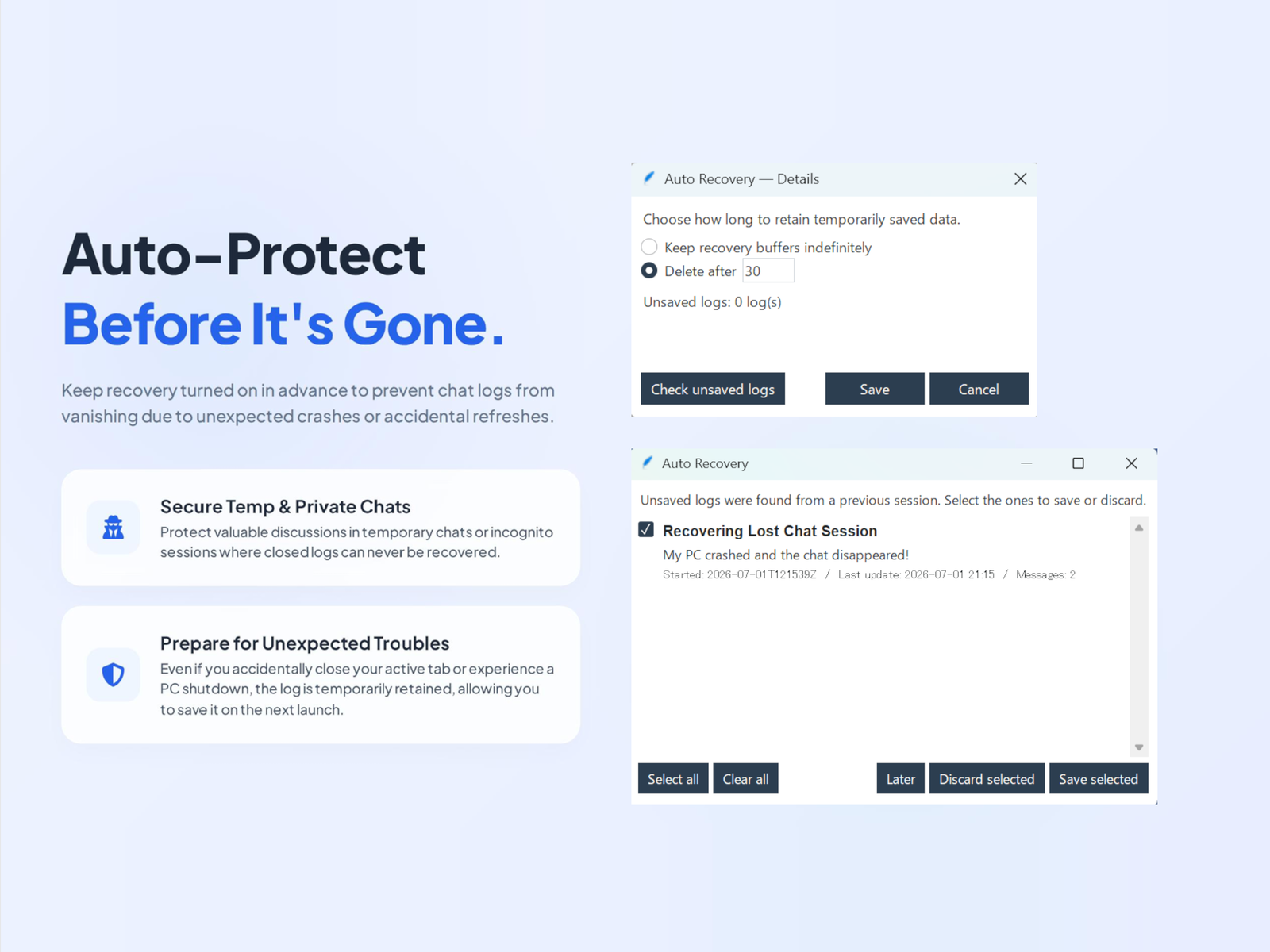
Auto-recovery

If a temporary or incognito chat is closed by an unexpected accident, its log is held temporarily on your device and can be saved the next time you start ASA. Auto-recovery is a setting you can freely switch on or off, so saving your logs and protecting your privacy are both possible. How to save a ChatGPT Temporary Chat →

Reusable tags

Register up to 50 tags once, then change which ones apply whenever you like. They go into file names or the title inside the file, so a growing archive stays consistent instead of drifting into whatever each chat happened to be called.

Four formats, written at once

HTML, Markdown, plain text and PDF. A single save can write several of them together, so keeping an HTML copy to read and a Markdown copy to build on doesn't mean saving the same conversation twice.

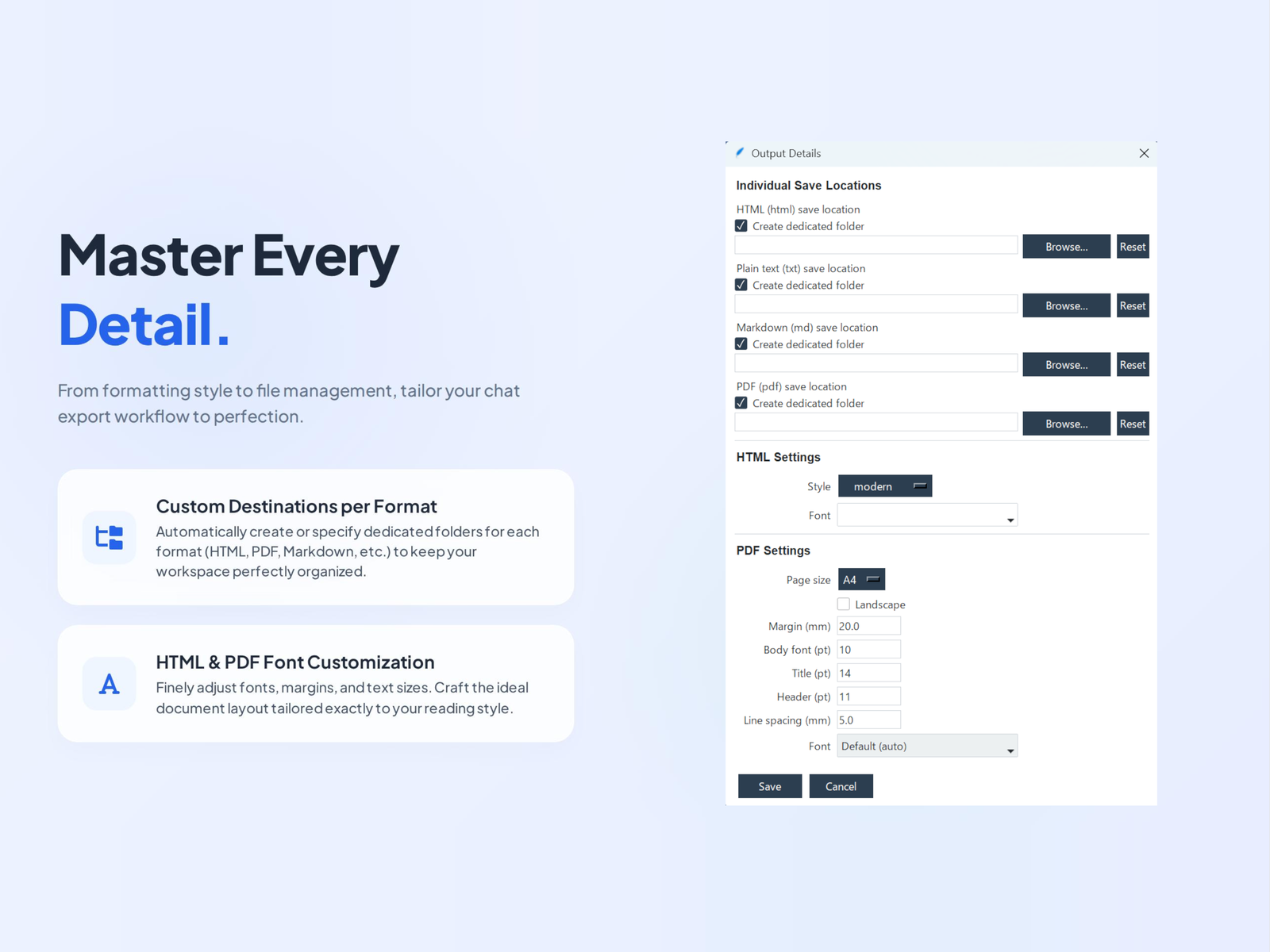
A destination folder per format

Each of those four formats gets its own destination - Markdown into an Obsidian vault, PDF into a work folder - so saved files land where you already work, with no moving afterwards.

What it looks like

What a saved conversation looks like, and the main settings windows.

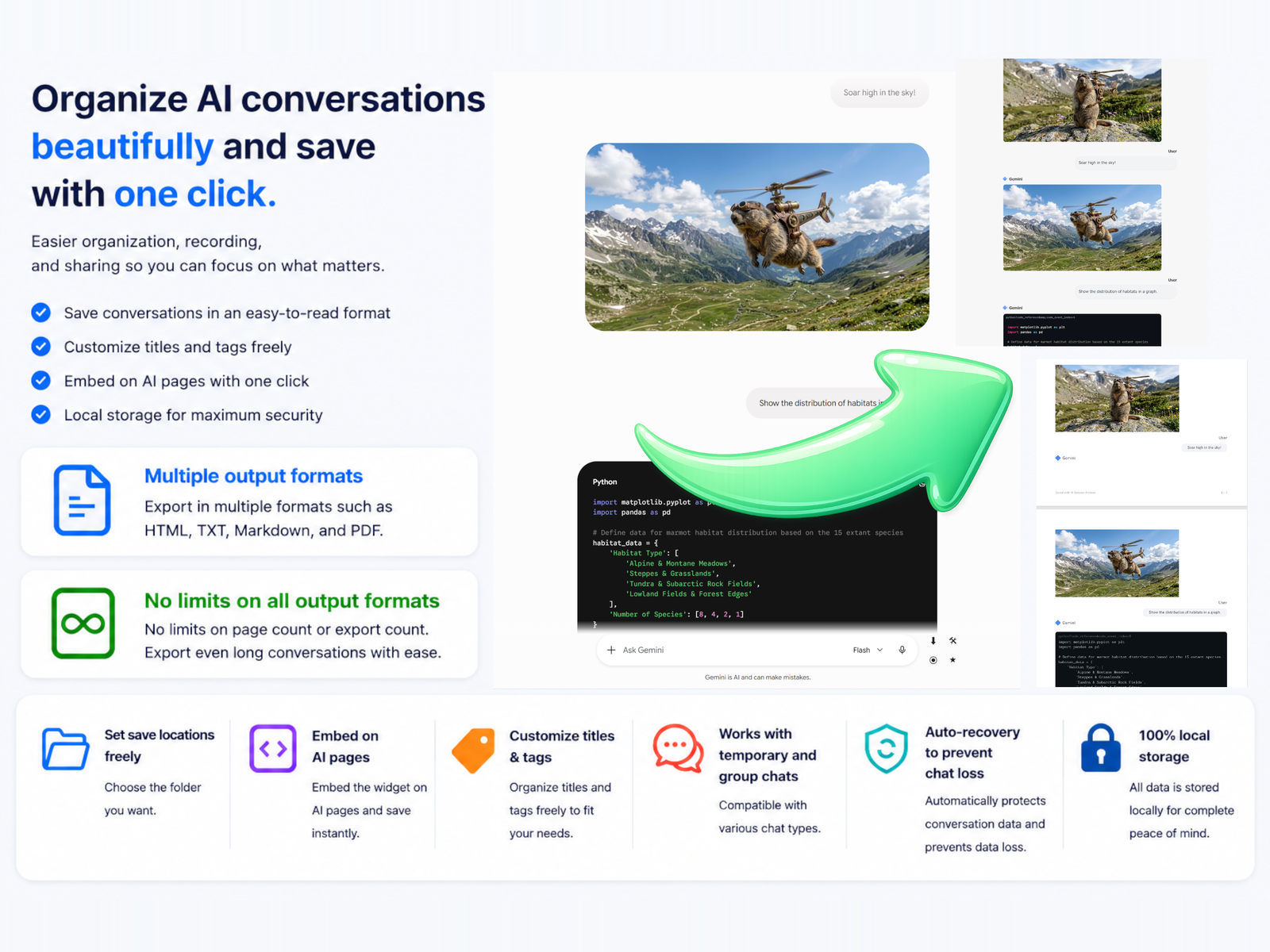
ASA main window
The result of a save. A conversation becomes a file on your PC with its images and code intact - HTML and PDF on the right.
Auto-recovery prompt on startup
Auto-recovery. Set how long copies are kept; an unsaved log found later can be saved or discarded.
Output settings
Output details. A destination folder per format, plus how HTML and PDF look.

Free and paid

The free edition has no time limit and no usage limit.

 FreePaid
One-click save, including captureYesYes
HTML output, unlimitedYesYes
Title composition and save locationYesYes
Tags in file namesUp to 3Up to 50
Markdown, plain text and PDF output-Yes
Auto-recovery-Yes
Destination folder per format-Yes
Sub-folders per chat type-Yes

Paid editions are $9 each, or $19 for all three. One-time purchase, no subscription. The two editions share the same Chrome extension, so switching later is just a reinstall.

Specifications