Four things set it apart
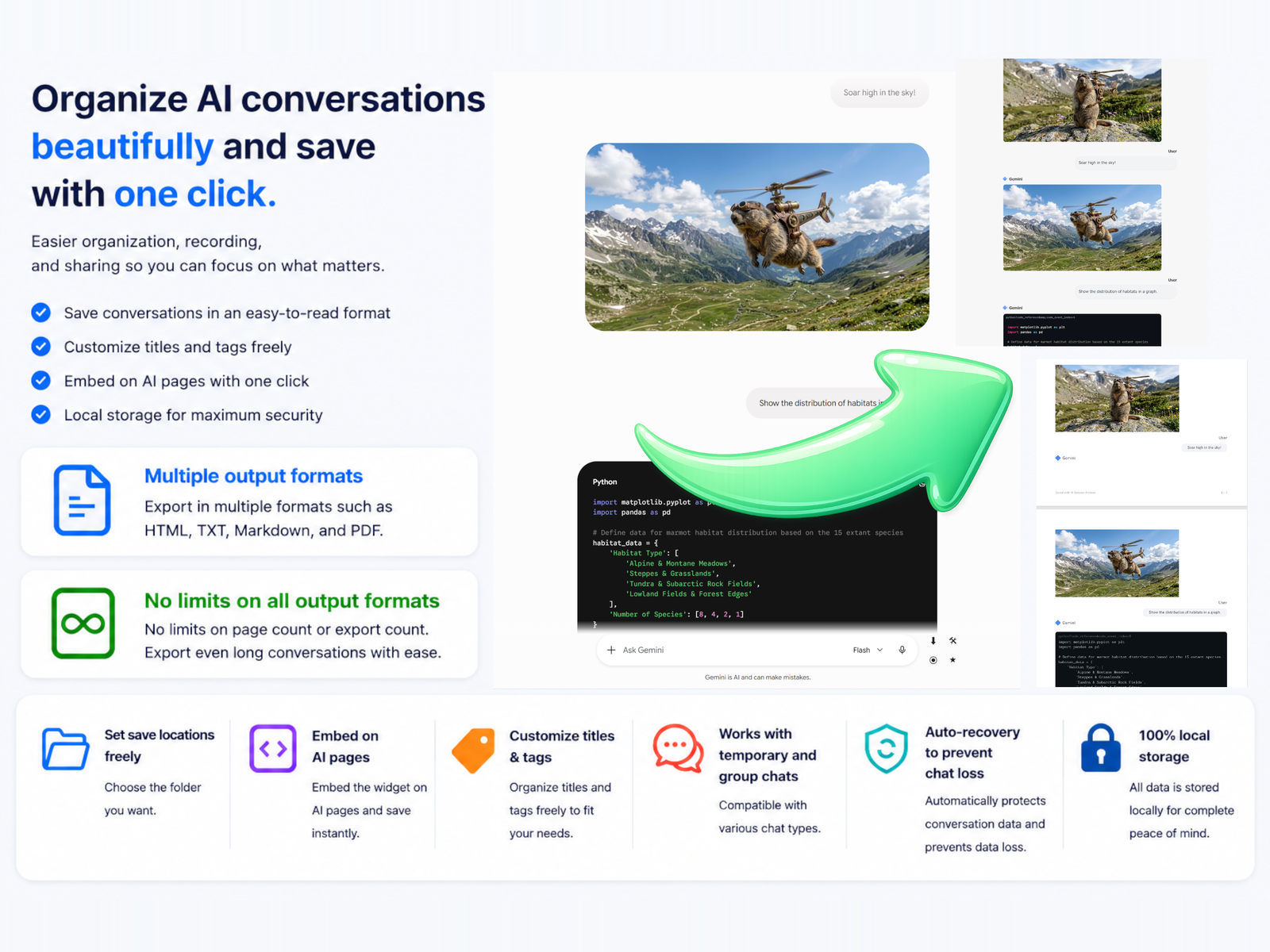
Everything runs on your own machine. No conversation data is uploaded.
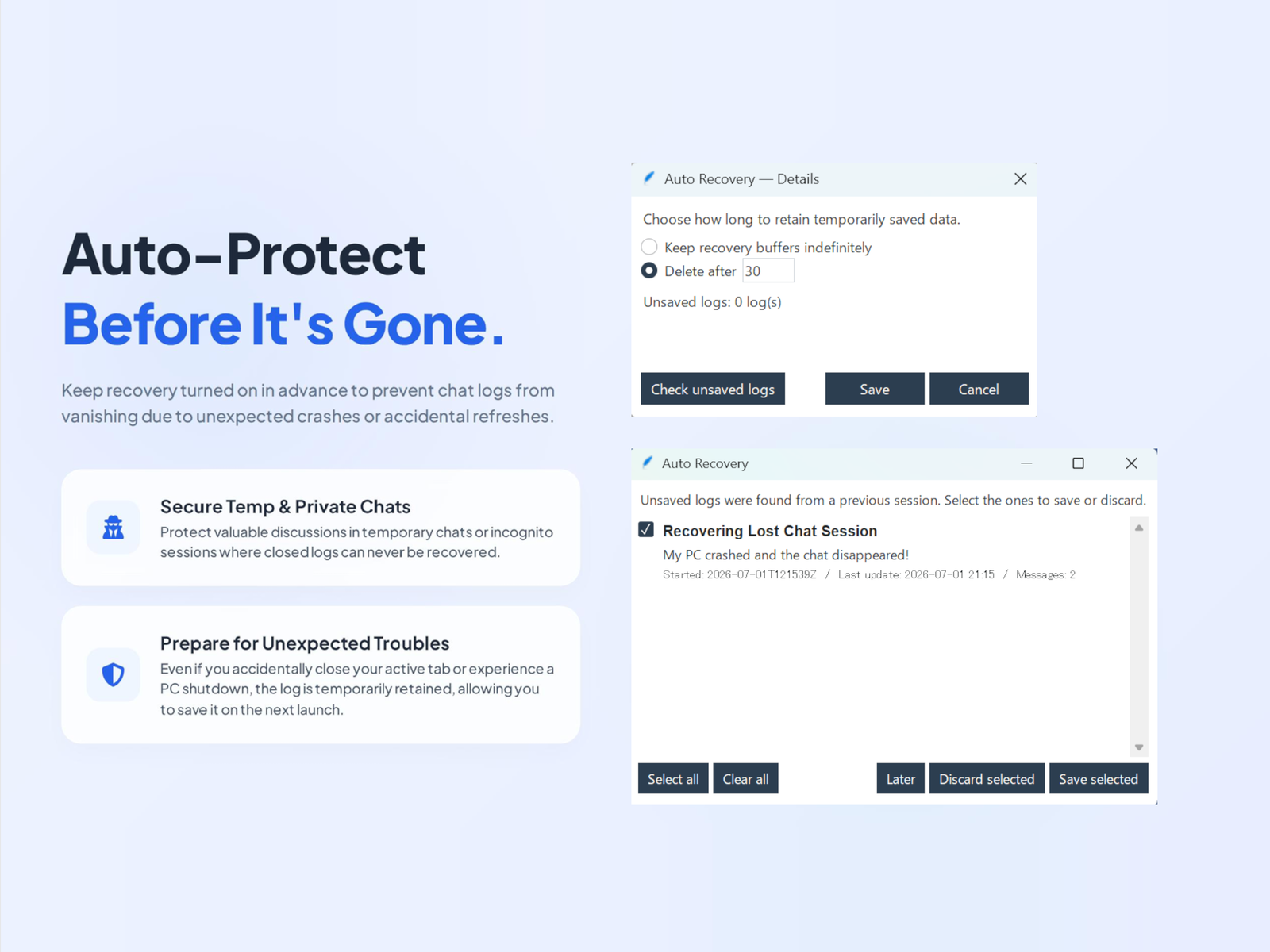
Auto-recovery
If a temporary or incognito chat is closed by an unexpected accident, its log is held
temporarily on your device and can be saved the next time you start ASA. Auto-recovery is a
setting you can freely switch on or off, so saving your logs and protecting your privacy are
both possible.
Reusable tags
Register up to 50 tags once, then change which ones apply whenever you like. They go into
file names or the title inside the file, so a growing archive stays consistent instead of
drifting into whatever each chat happened to be called.
Four formats, written at once
HTML, Markdown, plain text and PDF. A single save can write several of them
together, so keeping an HTML copy to read and a Markdown copy to build on doesn't
mean saving the same conversation twice.
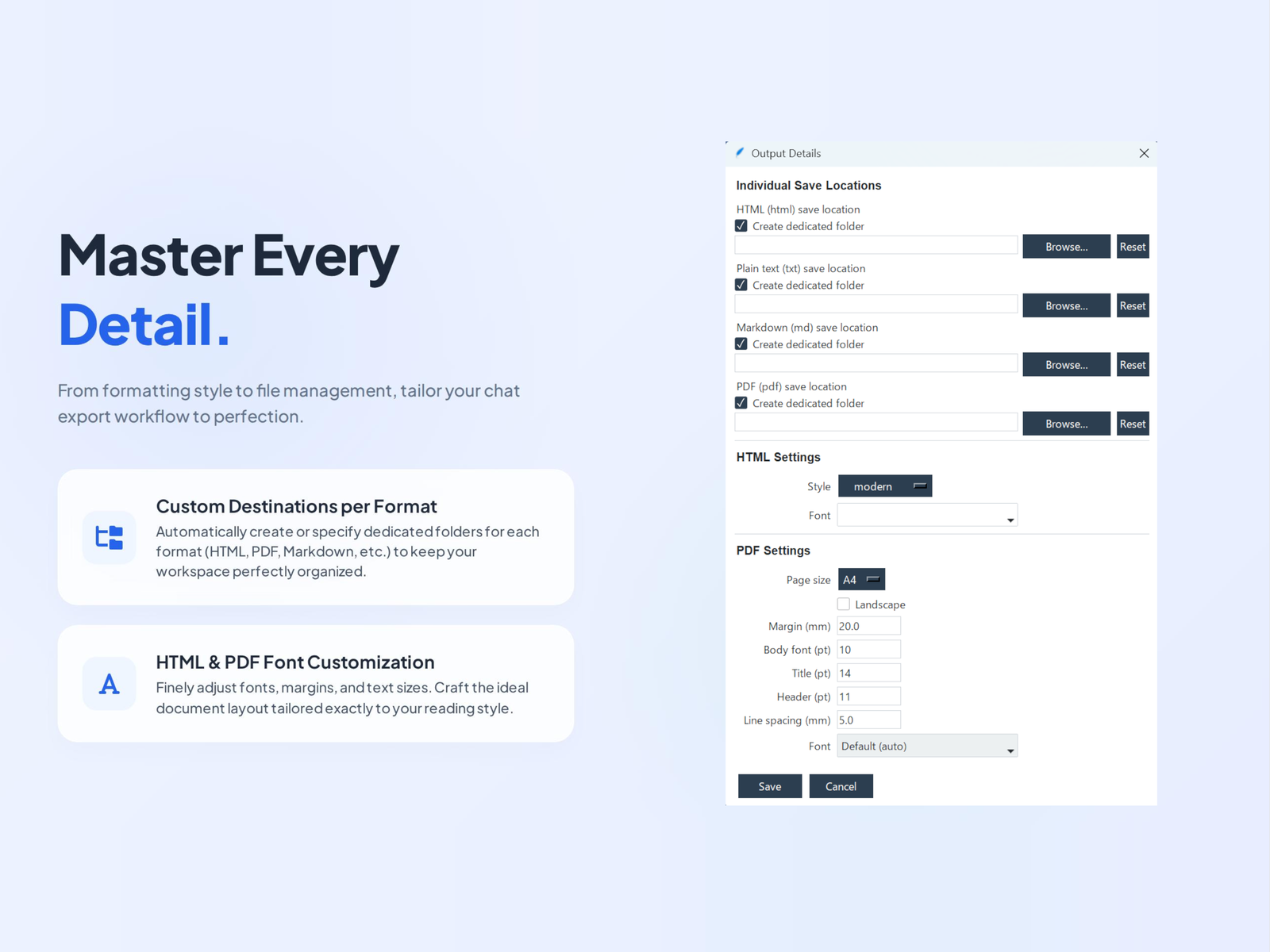
A destination folder per format
Each of those four formats gets its own destination - Markdown into an Obsidian
vault, PDF into a work folder - so saved files land where you already work, with no moving
afterwards.